![Asset 2.svg]](https://help.truleo.co/hubfs/Asset%202.svg)
How it works
- The officer generates a unique interview PIN for the incident
- The officer gives the witness the TRULEO phone number and PIN
- The witness calls in, enters the PIN, and TruAssist conducts the interview — asking questions and relevant follow-ups based on the interview type
- The officer receives a notification when the interview is complete and can review the audio recording and written summary
1. Set up your phone and PIN (My Notes tab)
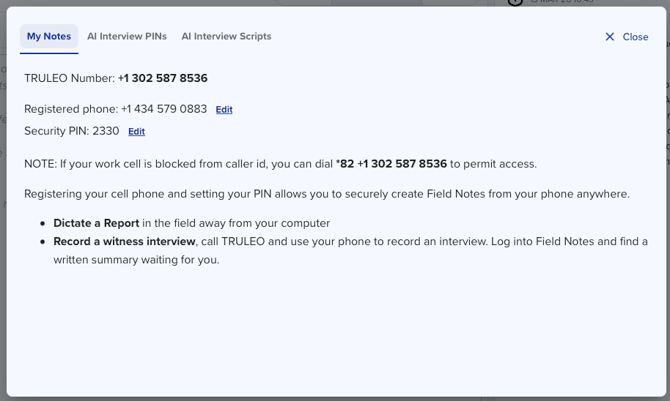
Before creating witness interviews, register your cellphone and set a security PIN:
- Go to the My Notes tab
- Enter your cell phone number and create a PIN
- This also enables field dictation — when you call TRULEO, the system saves your audio and generates a written summary
2. Generate a PIN for witnesses (AI Interview PINs tab)
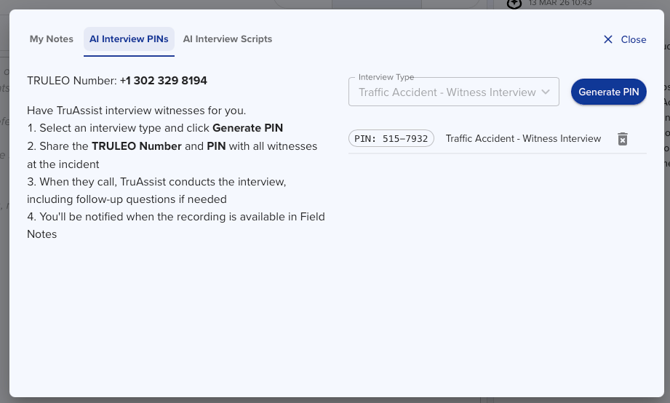
- Go to the AI Interview PINs tab
- Select an interview type (see available types below)
- Generate a unique PIN for this witness
- Give the witness the TRULEO phone number and their PIN
The interview type dropdown groups scripts under MY SCRIPTS (yours) and TRULEO (managed defaults), each sorted alphabetically. Click Create Interview Script next to Generate PIN to jump straight into the Template Library and start a new script.
Interview types
Interview types determine which questions TruAssist asks. Available types include:
- Traffic Accident — Witness Interview — questions about the accident sequence, vehicles, and road conditions
- Witness Interview — a general incident interview for any scenario; questions adapt to the incident details the witness provides
- Field Interview — walks a witness through presence at the scene, unusual activity observed, descriptions of people and vehicles seen, and available home or nearby camera footage
- Witness Canvas — a canvassing-style script for gathering witness accounts in the area of an incident
- Additional incident-specific types may be available depending on your agency's configuration
Each interview type uses a default script that can be customized (see Step 4 below).
3. Start a report or talk to TruAssist (Digital Notepad)
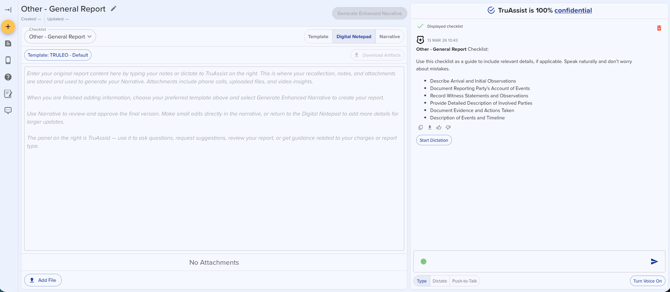
When TruAssist completes the interview, it appears in your Digital Notepad with:
- The audio recording
- A written transcript and summary
From here you can request a polished report, add notes, or attach the interview to a case in Analyst.
4. Managing interview scripts
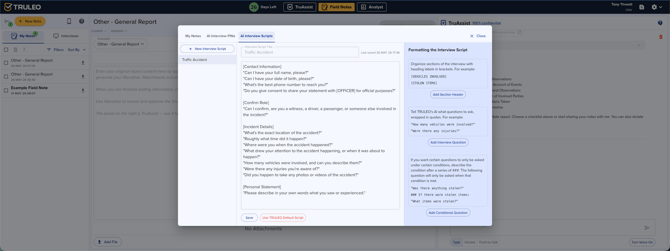
Interview scripts are managed from the Template Library, not from an embedded tab in the PIN dialog. Open the Template Library and select the AI INTERVIEW SCRIPTS tab, alongside the tabs for Field Notes, Analyst, and BWC Review templates.
-
Click New Script to start one, or select an existing script from the list on the left.
-
Edit the script content directly — add or remove questions across sections like "Confirm Role" and "Incident Details."
-
Check Share with organization to make a script visible to everyone in your department. Non-owners can view a shared script but can't edit or delete it unless they're an admin.
-
Changes save and apply to all future PINs created with that script.
Scripts you own appear under MY SCRIPTS; scripts shared by teammates appear under DEPARTMENT; TRULEO's built-in scripts appear under TRULEO.
Best practices
- Generate a new PIN for each witness — do not reuse PINs across interviews
- Brief witnesses before they call: let them know TruAssist is an AI, the call will be recorded, and they should answer questions as thoroughly as possible
- Review interview summaries promptly — witnesses may call back with corrections
- Customize scripts for common incident types your agency handles frequently