![Asset 2.svg]](https://help.truleo.co/hubfs/Asset%202.svg)
Field Notes cleans up spelling and grammar, follows the agency’s preferred format and produces a narrative that can be copied directly into the records system.
Report templates & built‑in guidance
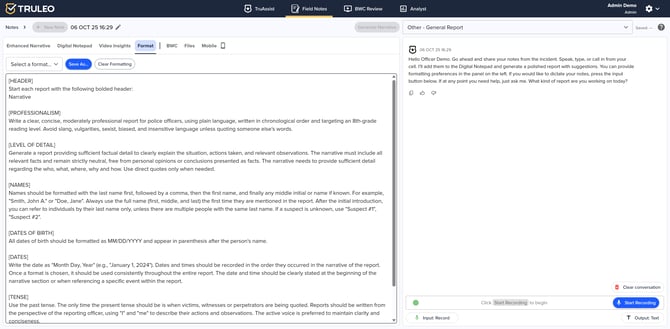
The Format tab provides pre‑built templates (Default, Synopsis, Theft, Traffic, etc.) and lets agencies save their own. Each template includes guidelines for plain‑language writing, chronology and level of detail, with reminders to avoid slang or bias. Names, dates and times are formatted consistently, and reports begin with a bolded “Narrative” header. Officers can also create a new template or set one as the default using the Save As button.
Collecting notes & transcripts
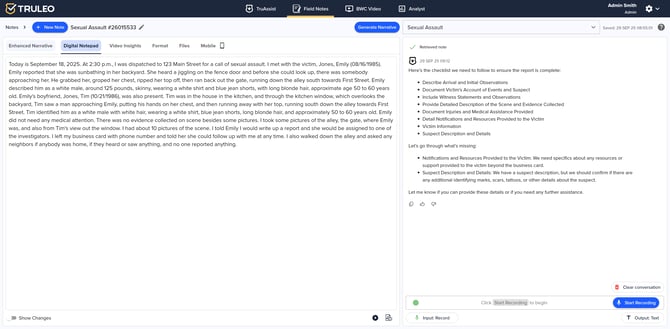
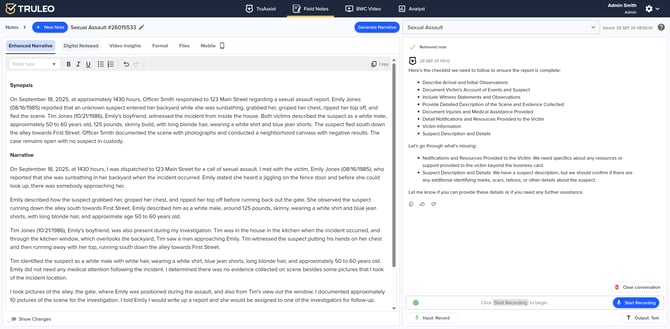
The Digital Notepad is where information is captured. Officers may speak into a microphone, type notes or paste transcripts from body‑camera videos or uploaded files. The notepad supports long‑form text and can include direct quotes. A checklist on the right highlights missing items based on the report type, guiding officers to gather all required details.
Adding video insights
To add evidence from body‑camera recordings, officers use the BWC Video tab to select a clip and then click Generate Video Insights. The system extracts key interactions and timestamps so they can be woven into the narrative without replaying hours of footage.
Uploading supporting files
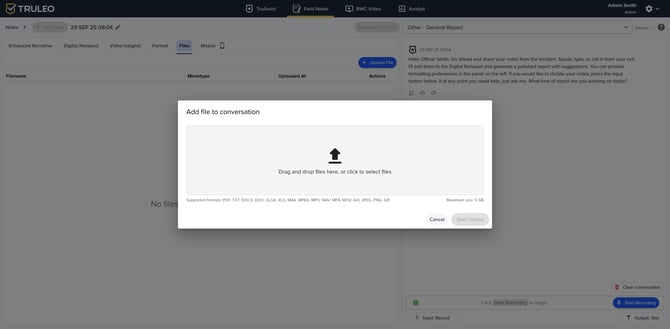
Through the Files tab, officers can attach documents, spreadsheets, audio or video files (up to 5 GB) in formats such as PDF, DOC/DOCX, XLS/XLSX, MP3, and WAV. Audio and video uploads are automatically transcribed and added to the notepad.
Mobile reporting
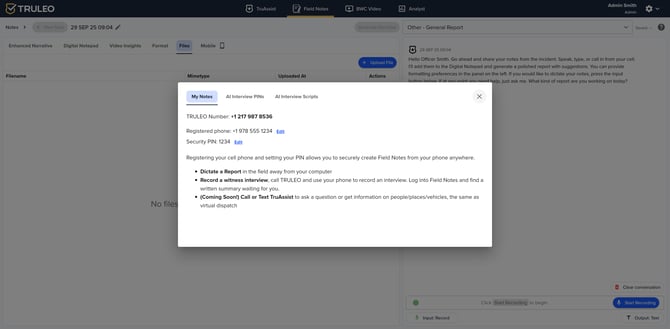
Field Notes isn’t limited to desktop use. The Mobile tab lets an officer register a cell phone and receive a security PIN. Once registered, you can dictate a report or record a witness interview by calling the TRULEO number; the system transcribes the call and adds it to the notepad.
Choosing report types & managing notes
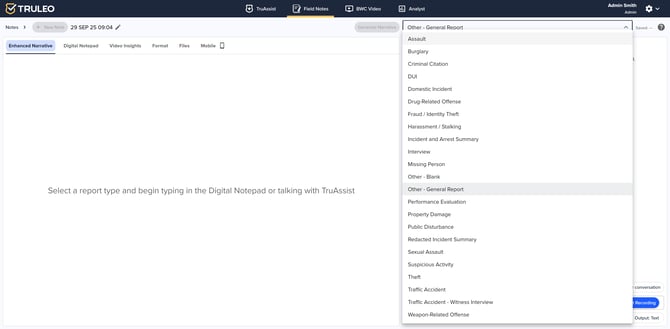
When starting a new note, the officer chooses the report type (e.g., Assault, Burglary, DUI, Interview or Sexual Assault). Field Notes tailors its checklists and prompts to the selection, ensuring that the narrative meets departmental requirements. All notes and interviews are organized by date and type and can be filtered, sorted or deleted in bulk.
Generating the enhanced narrative
After collecting notes, transcripts, videos and uploads, the officer clicks Generate Narrative. The Enhanced Narrative tab automatically assembles a structured report and allows officer edits before copying it into the records.
Benefits of Field Notes
-
Consistency: Built‑in templates and guidelines help officers produce reports that follow agency standards.
-
Efficiency: Speaking, typing and uploading materials in one place reduces duplication and speeds up report writing.
-
Comprehensiveness: Checklists and video insights ensure that crucial details from interviews, body‑camera footage and evidence files are captured.
-
Mobility: Officers can dictate or record interviews in the field without returning to a computer.
-
Readiness: The Enhanced Narrative tab outputs a polished report ready for submission, saving time and improving accuracy.
By leveraging these functions, Field Notes transforms raw notes into professional reports, allowing officers to focus on the investigation instead of formatting and transcription.