![Asset 2.svg]](https://help.truleo.co/hubfs/Asset%202.svg)
Overview
TRULEO’s TruAssist AI assistant allows officers to interact using two primary input modes: typed text and audio transcription. Both modes keep the officer in control of the narrative and support hands‑free use in the field. Officers can create inputs by speaking, typing a note, and/or uploading case information. Whether asking for call history, summarizing a case or dictating a report, TruAssist adapts to how each user prefers to communicate.
Text mode
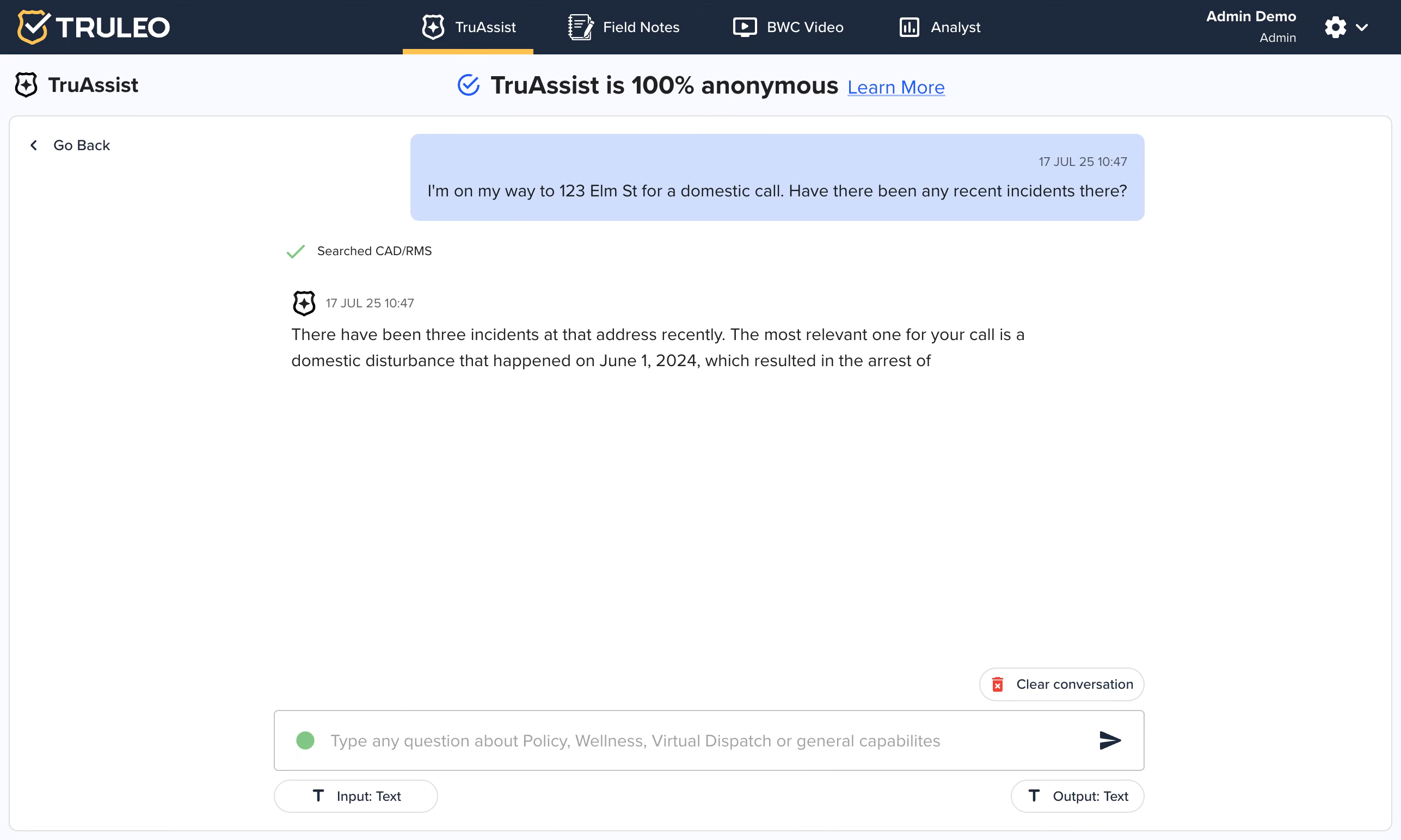
How it works: Officers type questions or commands directly into TruAssist’s chat interface. The assistant processes the text, queries data sources and responds in natural language. Typing is best for precise queries (addresses, names or statute numbers) and works quietly in a patrol car or at a station.
Key benefits
-
Fast queries – Officers can ask follow‑up questions or narrow their request in real time. In one example an officer asked about past incidents at an address; the assistant summarized the call history and offered more details.
-
Detailed answers – When asked about a male occupant, TruAssist returned his name, age, alias, vehicle details and prior interactions, helping the officer prepare for the call.
-
Mobile friendly – Text input works well on laptops or smartphones and can be paired with in‑car voice systems for semi‑hands‑free use.
Audio Record mode
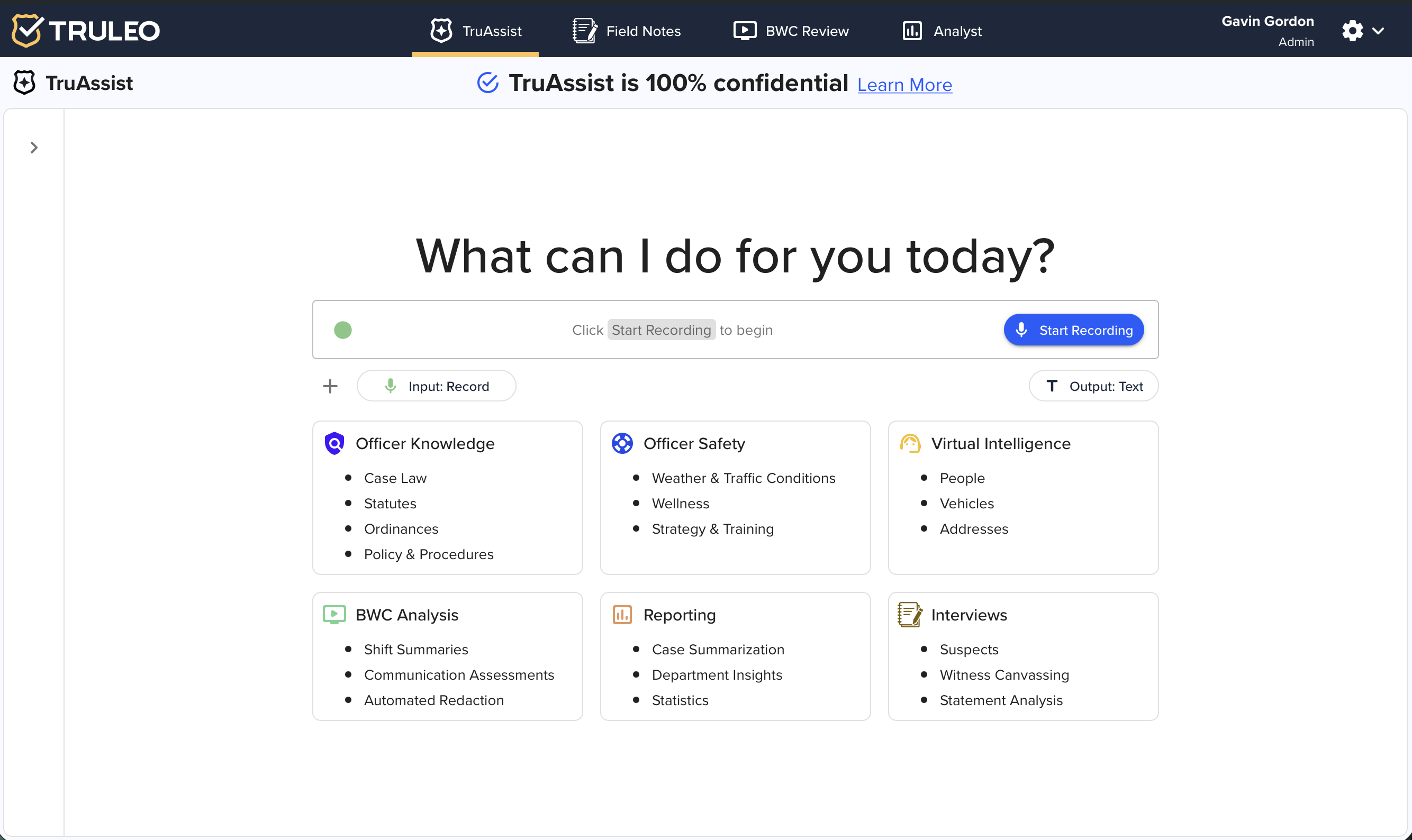
How it works: Officers can speak into their device and TruAssist will convert the speech to text. Users create the input by speaking and recording audio, while the assistant then asks follow‑up questions to refine the draft. Audio mode is ideal when an officer’s hands are occupied or when dictating lengthy narratives.
Key benefits
-
Dictated reports – TruAssist records voice input and assembles a polished report, prompting for missing details and allowing attachments such as body‑camera video or CAD files.
-
Conversational flow – Speaking feels more natural; officers can ask broad questions and then clarify without switching modes. The assistant retains context and can provide policy guidance or wellness tips within the same session.
-
Safety and accessibility – Officers stay heads‑up while driving or on scene, and those who prefer speaking can capture long narratives efficiently.
Choosing the right mode
Both input modes can be used interchangeably. For quick queries or when noise is an issue, typed text may be preferable. For long narratives, report dictation or when hands‑free operation is required, audio transcription offers convenience. Importantly, TruAssist keeps the officer’s words at the center: the system refines and summarizes, but the officer controls the input.