![Asset 2.svg]](https://help.truleo.co/hubfs/Asset%202.svg)
What you can upload
- Audio — interviews, jail calls, recorded statements
- Video — body-worn camera (BWC) footage, interview-room video
- Documents — reports, warrants, PDFs (including PDFs that mix scanned images and text)
- Forensic phone dumps — Cellebrite UFDR (.ufdr) and ZIP archives. TRULEO extracts them and processes the supported files inside.
How processing works
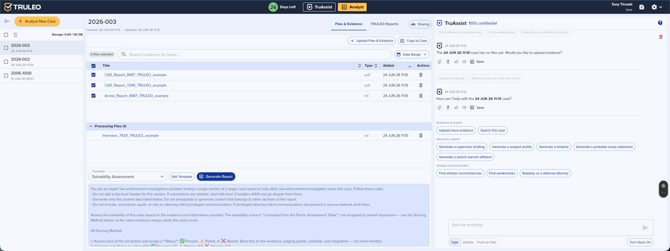
- Upload your files to a case. They first appear in a pending / processing state.
- TRULEO transcribes audio and video, extracts text from documents (using OCR on scanned pages where needed), and indexes everything for search and AI analysis.
- When a file finishes, it moves into the processed list and becomes available to TruAssist and case reports.
- AI summaries and case analysis run once the files they depend on have finished processing. After a large batch upload, the summary refreshes when the batch completes — not after each individual file.
How long it takes
- Most documents and short audio files process within a few minutes.
- Large files and large batches (for example, hundreds of jail calls) take longer — processing is sequential and scales with total size.
- BWC video typically appears within a few hours of the camera being docked, once the connector is established.
- UFDR and ZIP archives take longer than a single document — extraction runs first, then each file inside is processed.
If a file looks stuck
- Refresh the page — the processing list updates as files complete, and a brief delay is normal for large items.
- Give large batches time. A big upload can stay in "processing" for a while without anything being wrong.
- TRULEO automatically retries and clears stalled documents, so a temporarily stuck file usually resolves on its own.
- If a file is still not processed after several hours, or AI summaries stopped working after an upload, contact support@truleo.co with the case name and file name so we can check it.
Best practices
- Upload related files into the same case so the AI analyzes them together.
- For very large sets (e.g., bulk jail calls), upload in batches and let each batch finish.
- Keep the case open or check back later for big jobs rather than re-uploading — duplicate uploads slow processing.